Restaurant POS software for Pakistan

Take orders by table, send them to the kitchen, split the bill and close the day in one app that keeps working when the internet drops.

HisabOn restaurant POS with a table order, menu photos and a KOT button

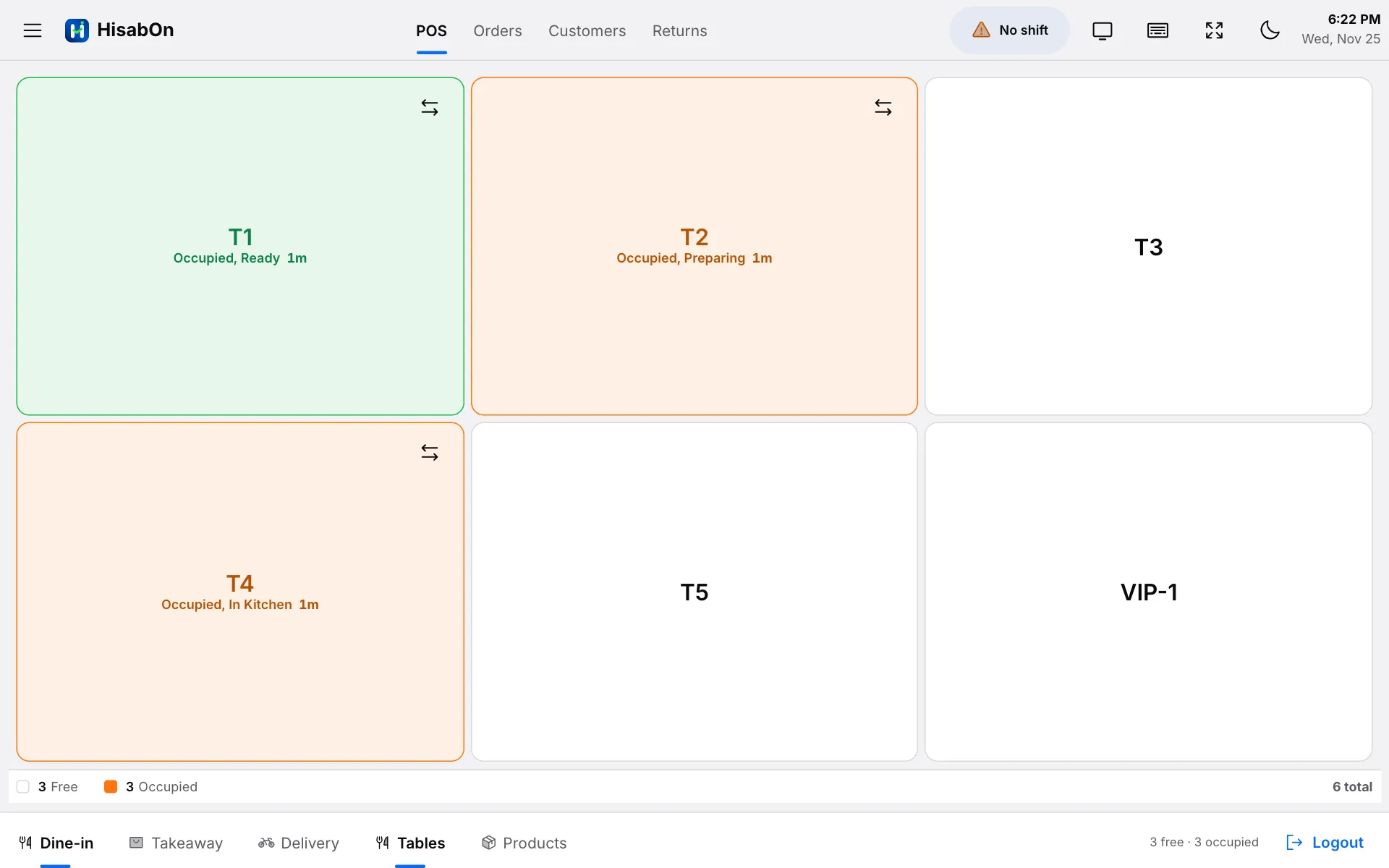
See every table at a glancePRO

The floor is one screen. Free tables are plain, and busy ones show what the kitchen is doing and for how long.

  • Live status per table: in kitchen, preparing, ready
  • Transfer an order to another table or merge tables
  • Dine-in, takeaway and delivery from the same app
HisabOn tables screen with tables marked occupied, preparing, ready and in kitchen

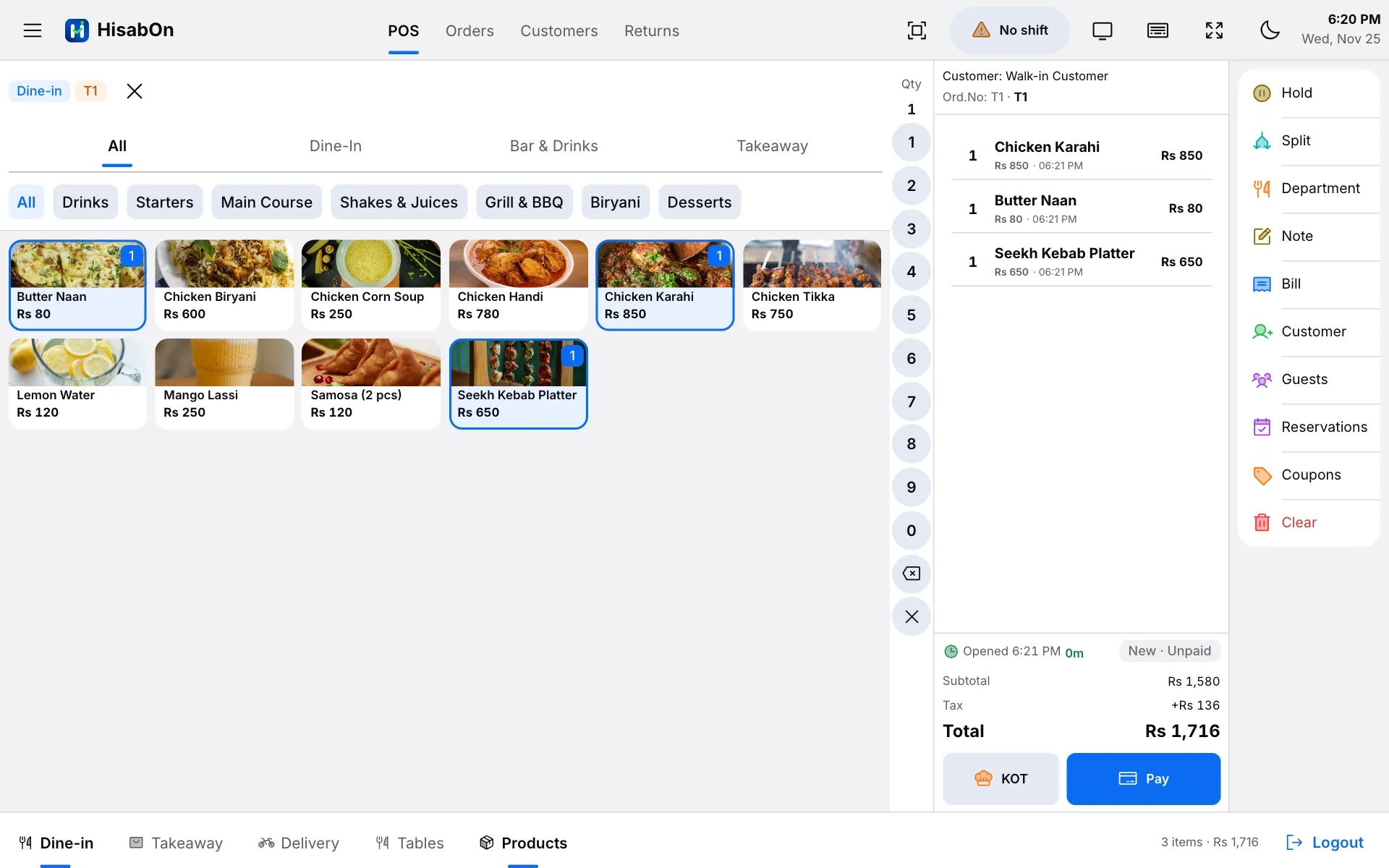
Take orders fast, with photos

Tap a dish to add it. Category tabs, a quantity keypad and photos keep new staff quick and accurate.

  • Menu with photos and categories
  • Quantity keypad, notes and guest count
  • Hold an order, add a coupon or change the department
HisabOn POS order screen with menu photos, a cart and side actions

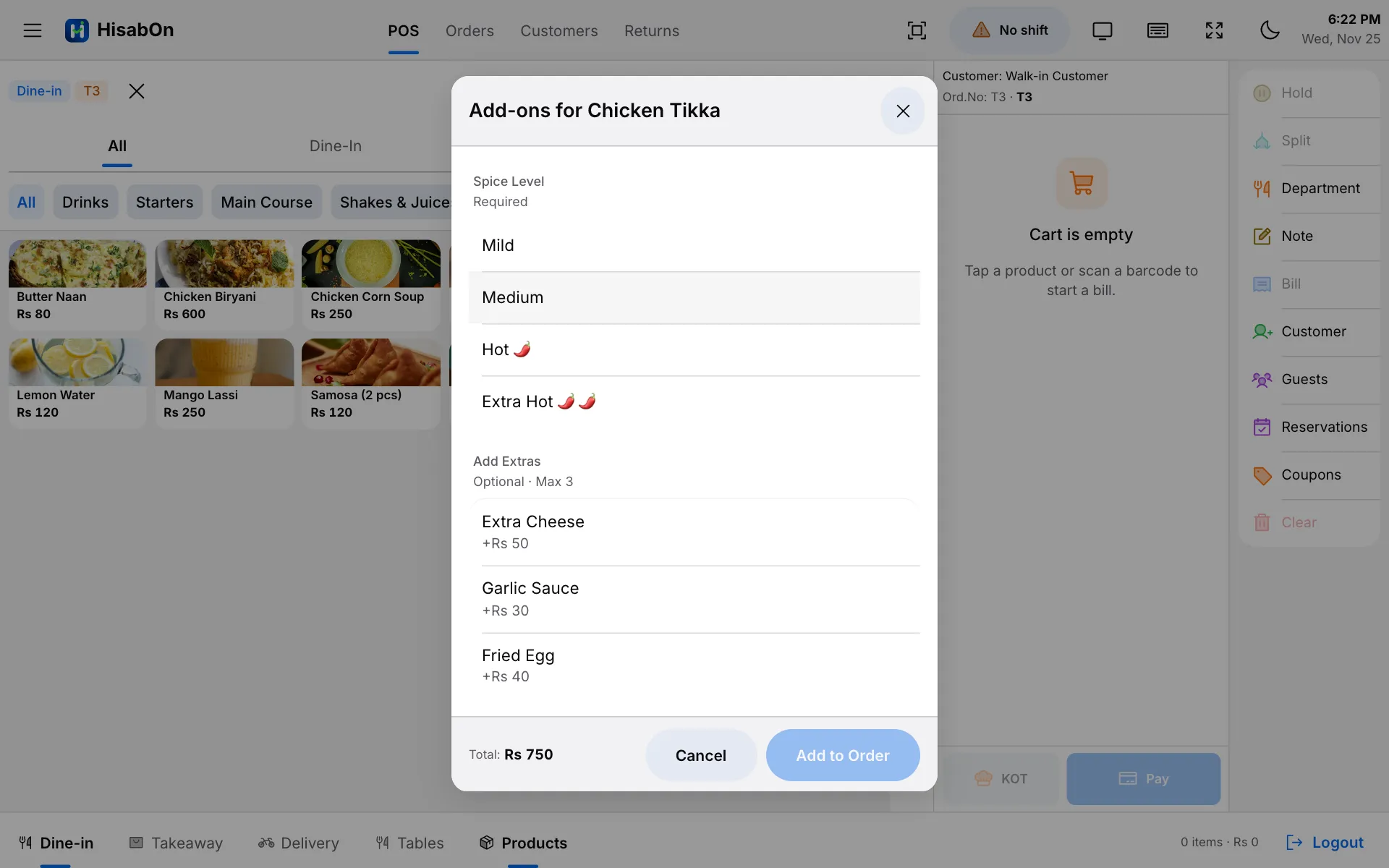
Spice levels and extras, done rightPRO

Set required choices like spice level and optional extras with their own price, so the kitchen gets the order exactly as the guest wants it.

  • Required choices such as Mild, Medium or Hot
  • Optional extras with prices and a maximum
  • Choices travel to the kitchen ticket
HisabOn add-ons dialog for Chicken Tikka with spice level and extras

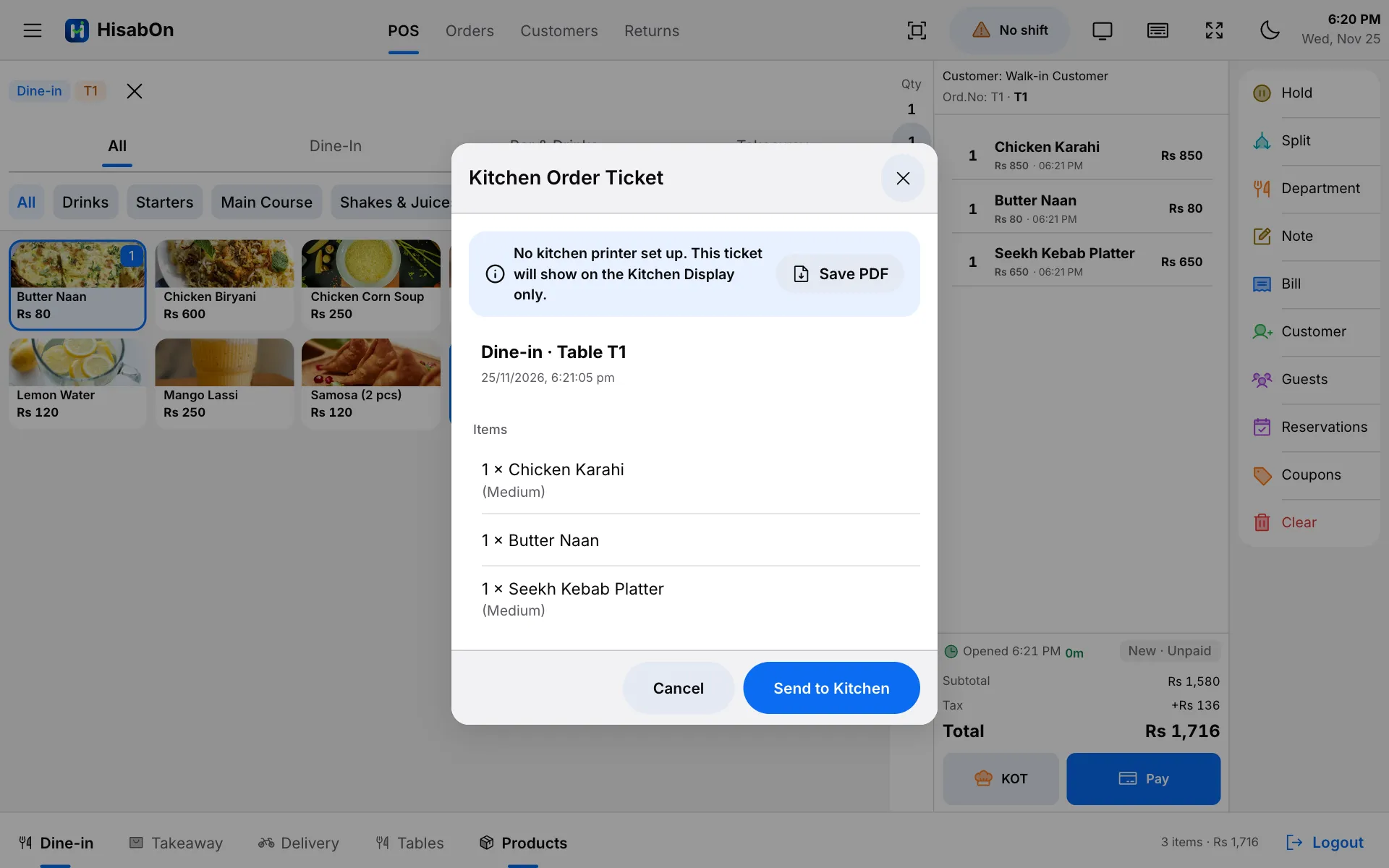
Kitchen order tickets in one tap

Send the order to the kitchen with a ticket that shows the table, the time and every choice. Print it, or save it as a PDF.

  • Ticket lists items with spice level and extras
  • Kitchen and bar can print on their own printers
  • No printer? The ticket shows on the kitchen display
HisabOn Kitchen Order Ticket dialog with items and a Send to Kitchen button

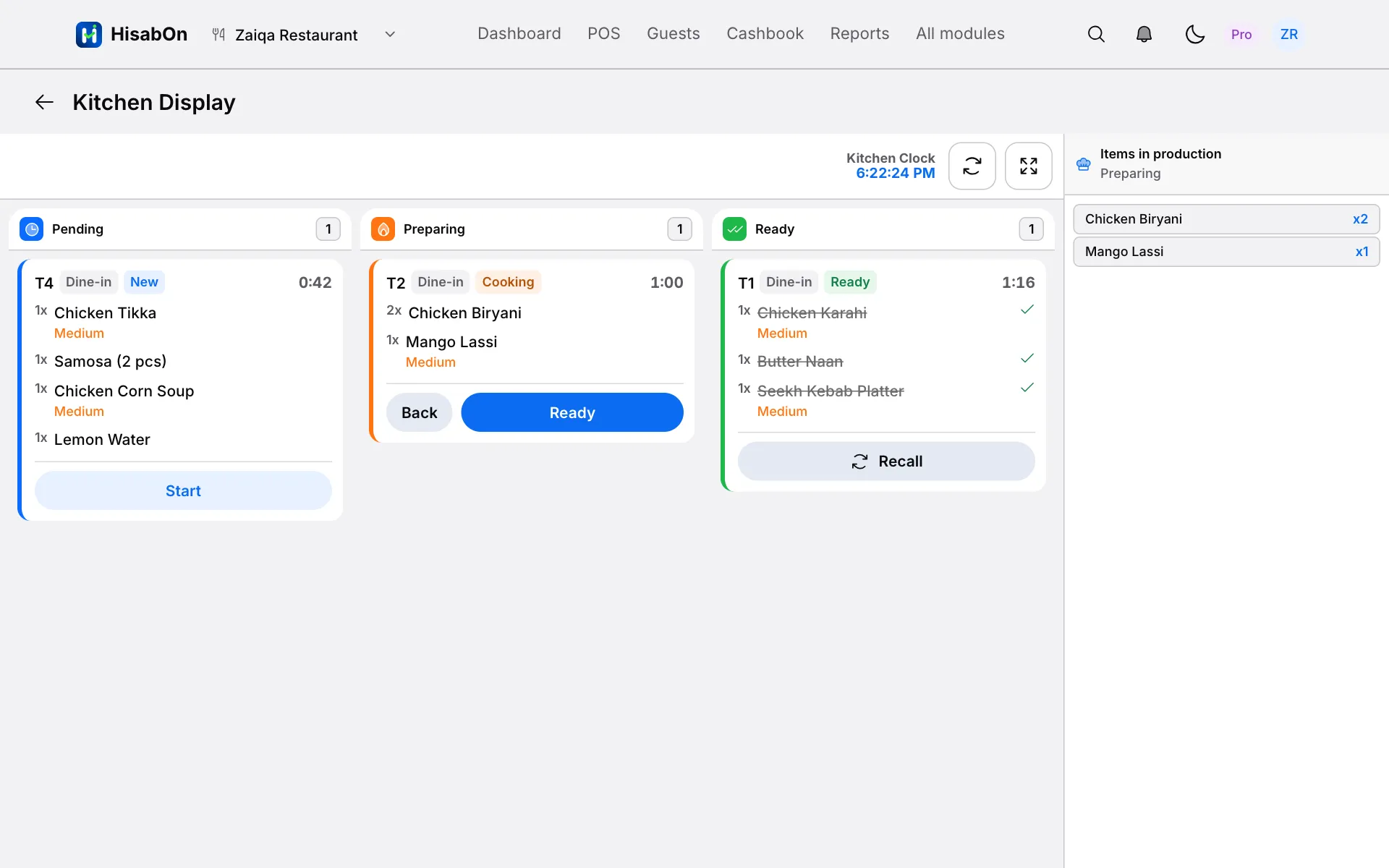
A kitchen display with three stagesPRO

Tickets move from Pending to Preparing to Ready. The cook starts a ticket, marks it ready, and can recall it if something goes back.

  • Pending, Preparing and Ready columns with live timers
  • Start, Ready, Back and Recall buttons on each ticket
  • A running list of items in production
HisabOn kitchen display with tickets in Pending, Preparing and Ready columns

Take payment, split it if you need toPRO

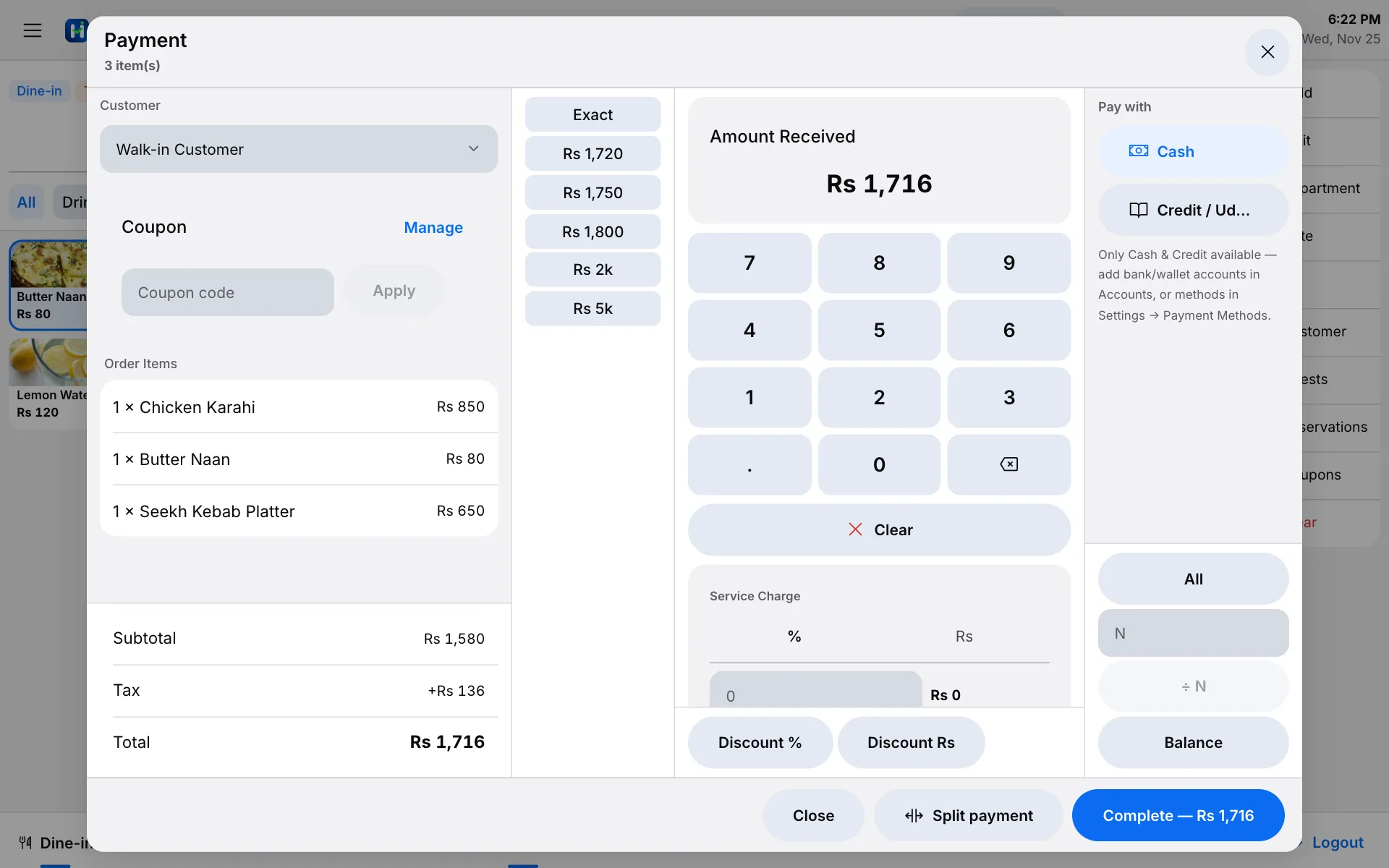
Close the table with the right amount, a discount or a coupon. Let guests pay in parts when they want to.

  • Cash and other accounts, with quick-cash amounts
  • Discount in rupees or percent, plus coupons
  • Split payment across guests or methods
HisabOn payment screen with a numeric keypad, discount buttons and a split payment option

A receipt for every table

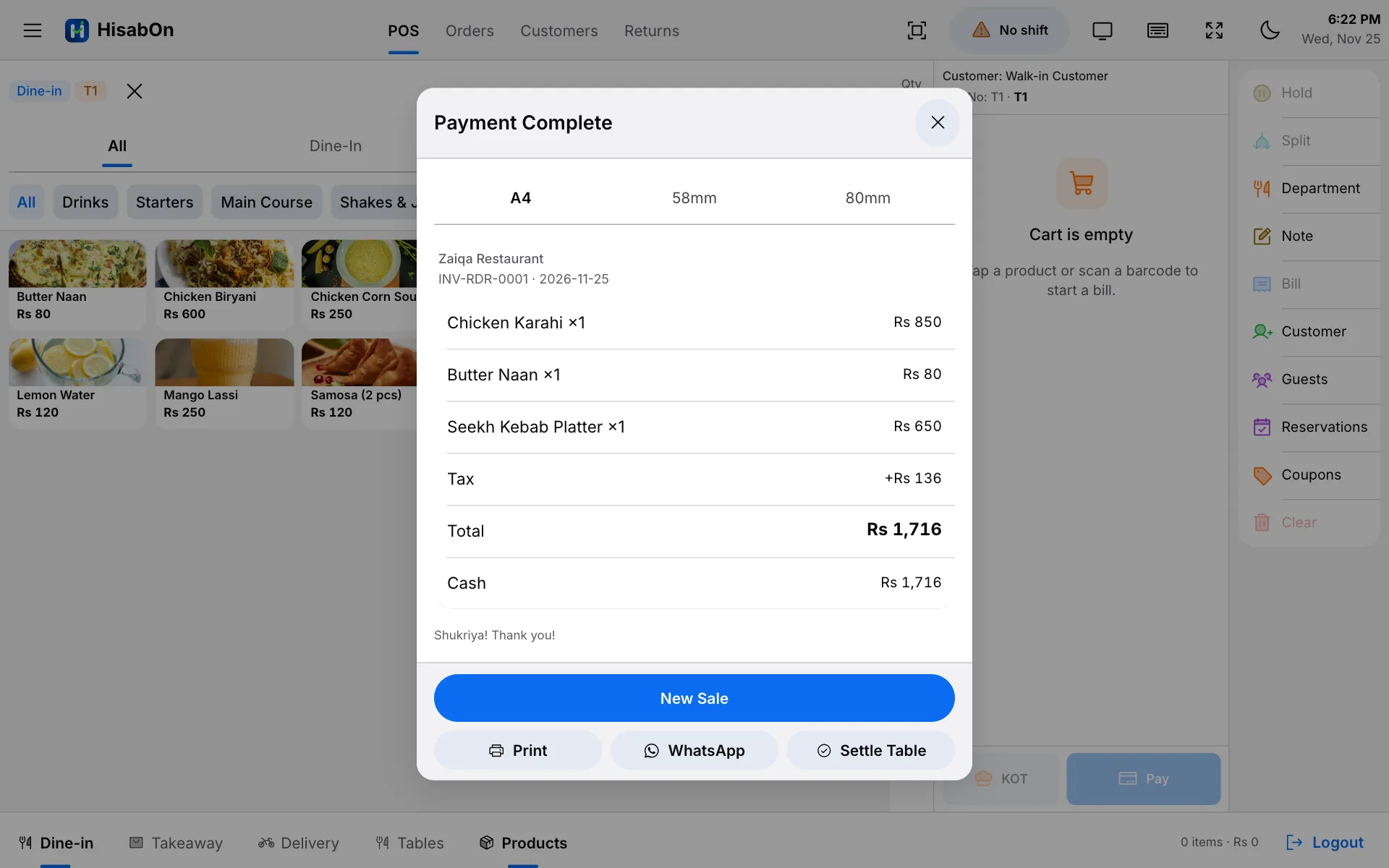
Print the bill on A4, 58 mm or 80 mm paper, or send it on WhatsApp. Then settle the table and move on.

  • A4, 58 mm and 80 mm receipt sizes
  • Print or share on WhatsApp
  • Settle the table when the bill is paid
HisabOn Payment Complete receipt with print, WhatsApp and Settle Table buttons

Reservations, without the notebookPRO

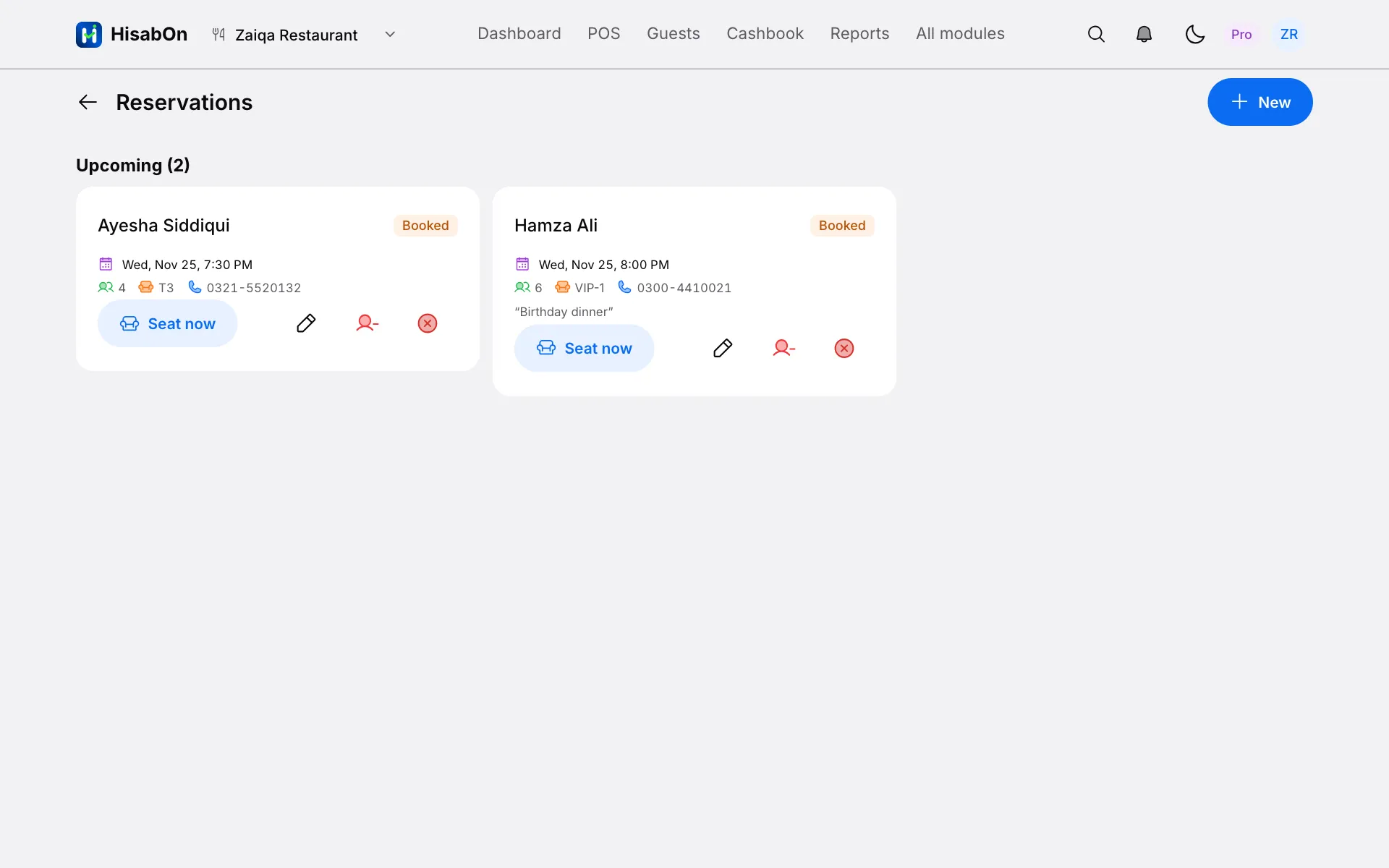
Book a table with the guest name, party size and time. When they arrive, seat them in one tap.

  • Party size, time and table
  • Notes such as a birthday
  • Seat now, edit or cancel from the card
HisabOn reservations screen with two upcoming bookings and Seat now buttons

Know your regular guestsPRO

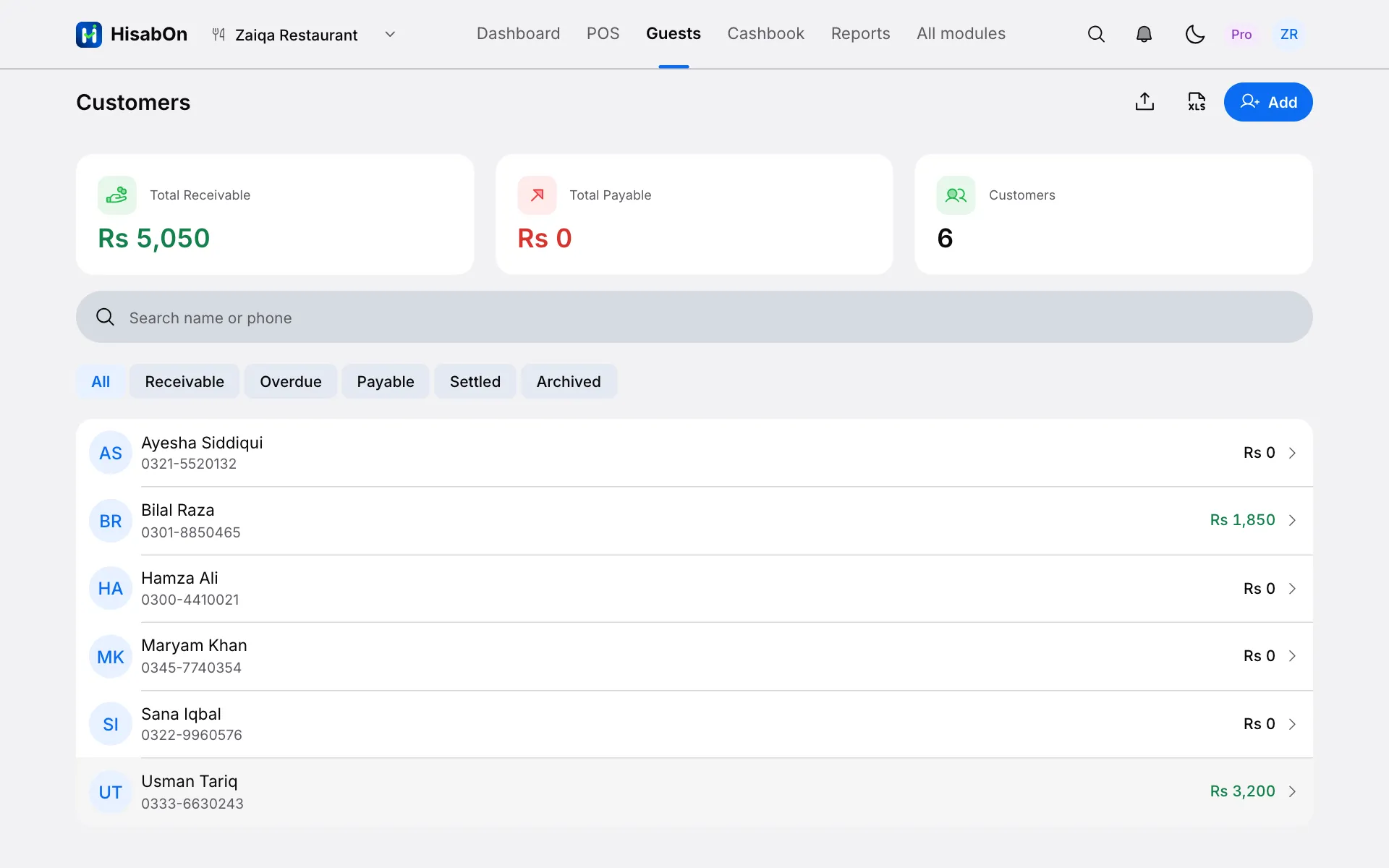
Keep a list of customers with their numbers and balances, so a regular who runs a tab is never a surprise.

  • Customer list with phone numbers
  • Balances owed and payable at a glance
  • Loyalty points for repeat guests
HisabOn customer list showing balances for restaurant guests

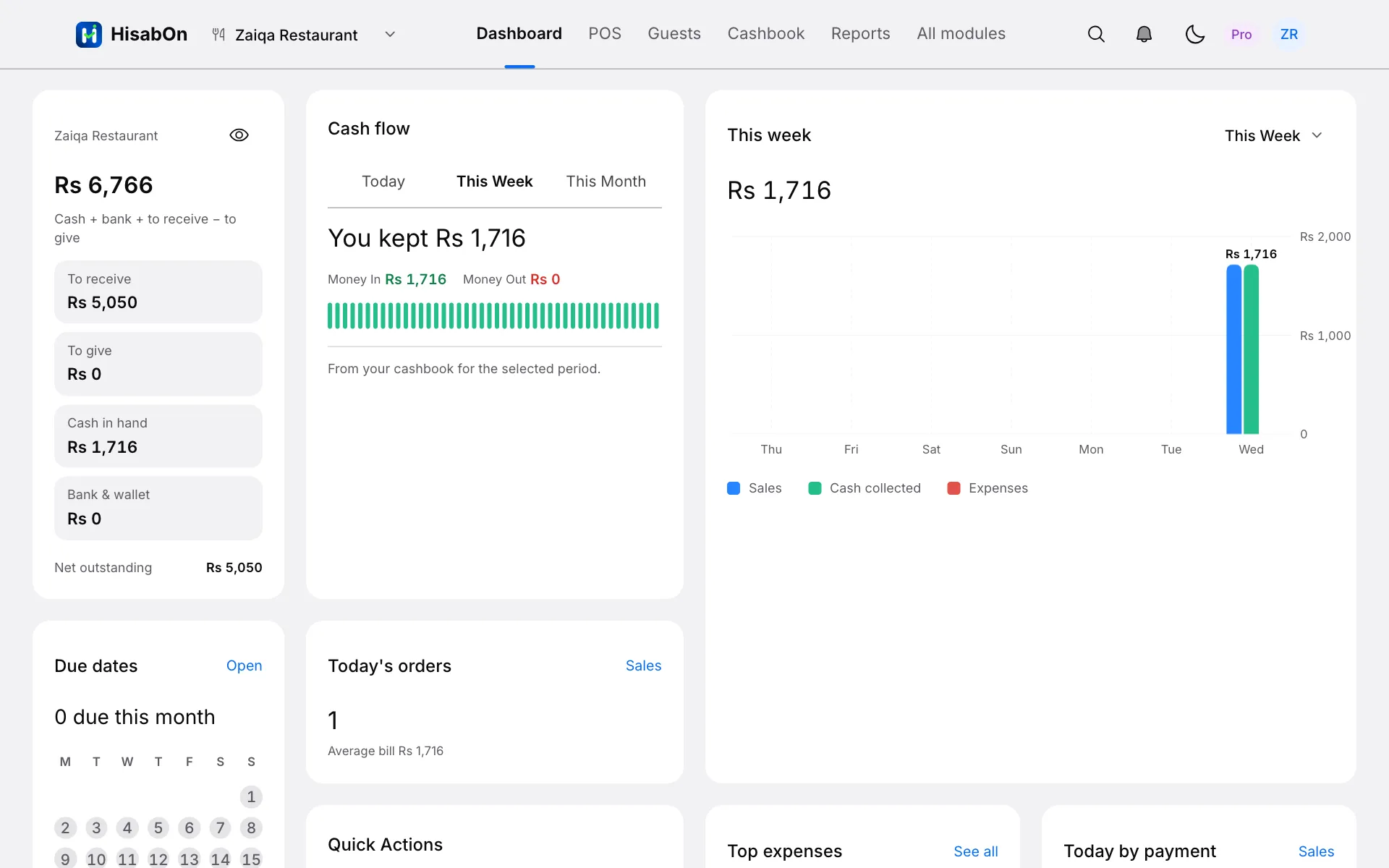
Today at a glance

See orders, average bill and how guests paid today, with cash flow and top expenses underneath.

  • Today’s orders and average bill
  • Today by payment method
  • Cash flow, week and month
HisabOn restaurant dashboard with todays orders, average bill and cash flow

HisabOn for other businesses

  • Retail storeComing soon
  • Kiryana storeComing soon
  • BakeryComing soon
  • PharmacyComing soon
  • GarmentsComing soon
  • Electronics
  • DistributorComing soon
  • SalonComing soon
  • FreelancerComing soon
  • AgencyComing soon
  • Service businessComing soon

Restaurant questions, answered

Does the restaurant POS work without internet?

Yes. Orders, tickets and bills are saved on the device first, so service keeps running when the connection drops. Data syncs when you are back online.

Can I print kitchen tickets?

Yes. You can print KOT tickets to a kitchen or bar printer, or save them as a PDF. If no printer is set up, the ticket appears on the kitchen display.

Is the kitchen display included?

The restaurant suite, which includes tables, the kitchen display, reservations and add-ons, is part of HisabOn PRO. Basic billing is free.

Can guests split the bill?

Yes. Split payment is part of PRO and lets one bill be paid in parts across guests or payment methods.

Does it work on a tablet and a phone?

Yes. HisabOn adapts to the screen, so the same account works on a phone, a tablet and the web app.

Start keeping your hisab today

Open HisabOn in your browser now. The Android app is coming to Google Play.

Start free on the web